1 / 10


HAVIT Gaming Keyboard KB870L Mechanical
Product Highlights
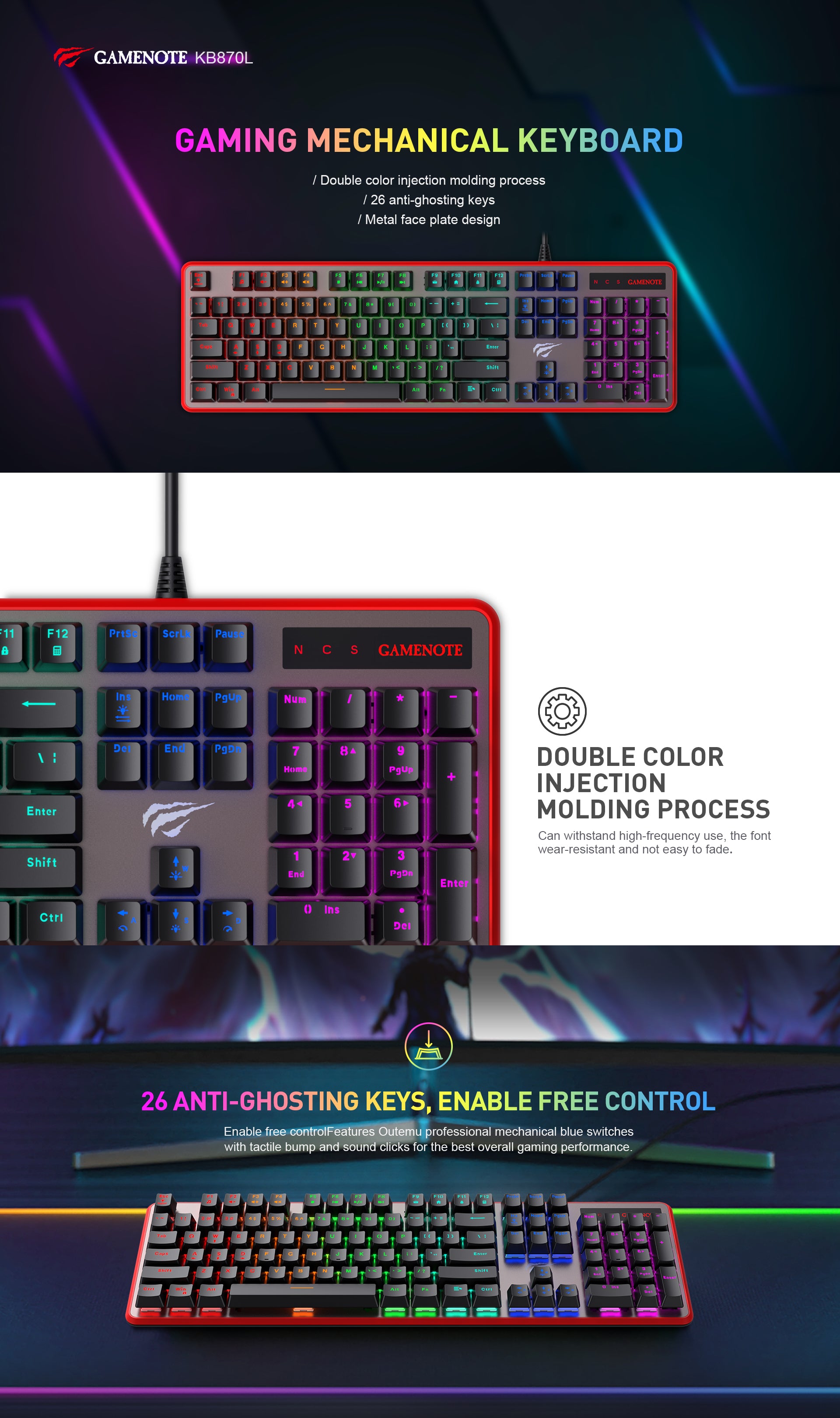
- DOUBLE COLOR INJECTION MOLDING: Keycaps withstand high-frequency use with wear-resistant, fade-resistant legends.
- 26-KEY ANTI-GHOSTING: Enables free control for complex key presses without missed inputs.
- OUTEMU BLUE MECHANICAL SWITCHES: Provide a tactile bump and audible click for responsive gaming feedback.
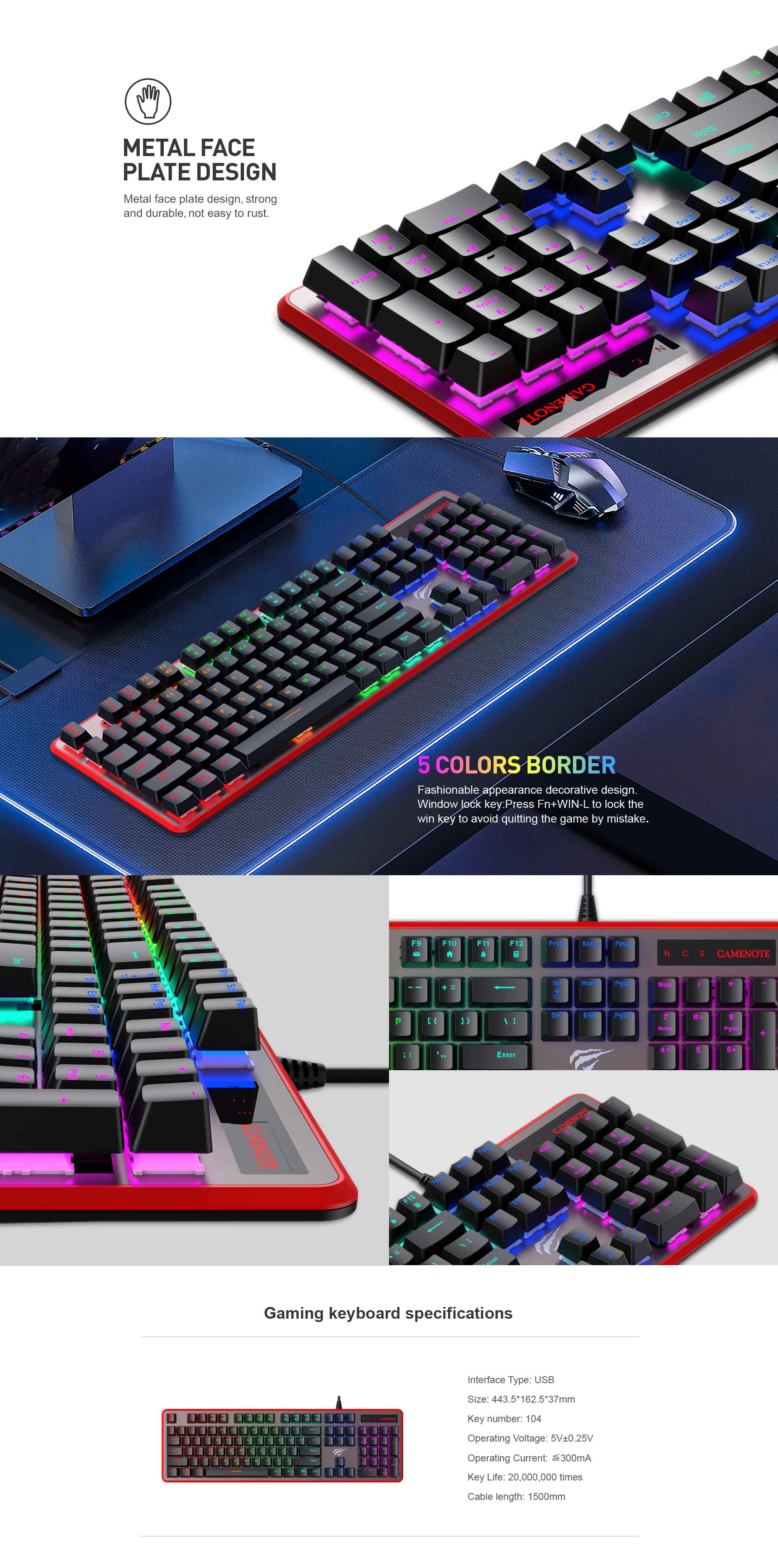
- METAL FACE PLATE: Strong, durable construction that is resistant to rust.
- 5-COLOR BORDER DESIGN: Fashionable and decorative appearance for a personalized setup.
- WINDOWS KEY LOCK: Press Fn+WIN-L to disable the Windows key and prevent accidental game interruptions.
- LONG KEY LIFE: Switches rated for 20 million keystrokes for extended durability.


| Category | Specification |
|---|---|
| Interface Type | USB |
| Size | 443.5*162.5*37mm |
| Key number | 104 |
| Operating Voltage | 5V±0.25V |
| Operating Current | ≤300mA |
| Key Life | 20,000,000 times |
| Cable length | 1500mm |
Is the KB870L keyboard compatible with my PC setup and does it work well for gaming?
Yes—this HAVIT mechanical keyboard connects via standard USB and works flawlessly with any desktop or laptop running Windows, macOS, or Linux. The plug-and-play design means you won't need any drivers—just pop it in and you're ready to game.
How do the Outemu Blue switches feel for gaming compared to other mechanical keyboards?
The Outemu Blue switches deliver that classic tactile bump with a satisfying audible click you'll immediately recognize from premium mechanical boards. This combination gives you clear feedback when each keystroke registers, which is exactly what competitive gamers need for rapid-fire inputs without second-guessing whether your command went through.
Will the keycaps hold up to heavy daily use without fading or wearing down?
The double color injection molding on these keycaps is built specifically for high-frequency use—you get legends that won't fade even after years of intense gaming sessions or typing marathons. This isn't your basic printed-on caps; the entire character is molded directly into the keycap material itself.
I keep accidentally hitting the Windows key during intense gameplay—is there a way to prevent this?
Absolutely—the dedicated Windows Key Lock function solves this exact frustration. Simply press Fn+WIN-L and your Windows key instantly disables until you press it again. No more rage-quitting because you fat-fingered the start menu mid-battle.
Is this keyboard sturdy enough for professional eSports tournaments or retail display purposes?
The reinforced metal face plate provides serious structural integrity that holds up to tournament-level handling and transport—it's far more durable than typical plastic-cased keyboards you'll find at cheaper price points. Combined with switches rated for 20 million keystrokes and rust-resistant construction, this thing is built to survive warehouse shipping, repeated customer handling in retail environments, and years of relentless competitive play without falling apart.